Staff news: This article will contain a summary of useful updates you may see in your Blackboard Ultra courses from Friday 6th February 2026.
AI Design Assistant
Staff can now access a suite of AI tools to support course content creation, assessment, Instructor efficiency and student engagement, directly in Blackboard. These tools are collectively known as the Blackboard AI Design Assistant.
Select the two stars icon or Generate button to use AI Design Assistant to generate learning modules, discussions, test questions and more.

Who can use AI tools in Blackboard?
Only staff roles with course editing privileges may access the Blackboard AI Design Assistant tools (Instructor, Teaching Assistant, Module Administrator etc.). Use of the tools are in the control of the staff, who should check any content before making them available to students.
Student roles can interact with Blackboard AI only via the AI Conversations activity, if this has been made available in their course. Instructors can review student interaction with the AI Conversations on their courses.
AI tools currently available:
Course Design
- Generate Learning Modules
- Generate images for Learning Modules and in Documents
Assessment
- Create AI Conversations – Interactive activity for students including Socratic questioning and role-play exercises.
- Generate Discussion topis
- Generate Journal theme
- Generate assessment rubric templates
- Generate Assignment prompts
- Generate suggested Test questions
- Generate Question Banks
For more information, see our elearn guide on the AI Design Assistant.
Stack blocks vertically in Documents
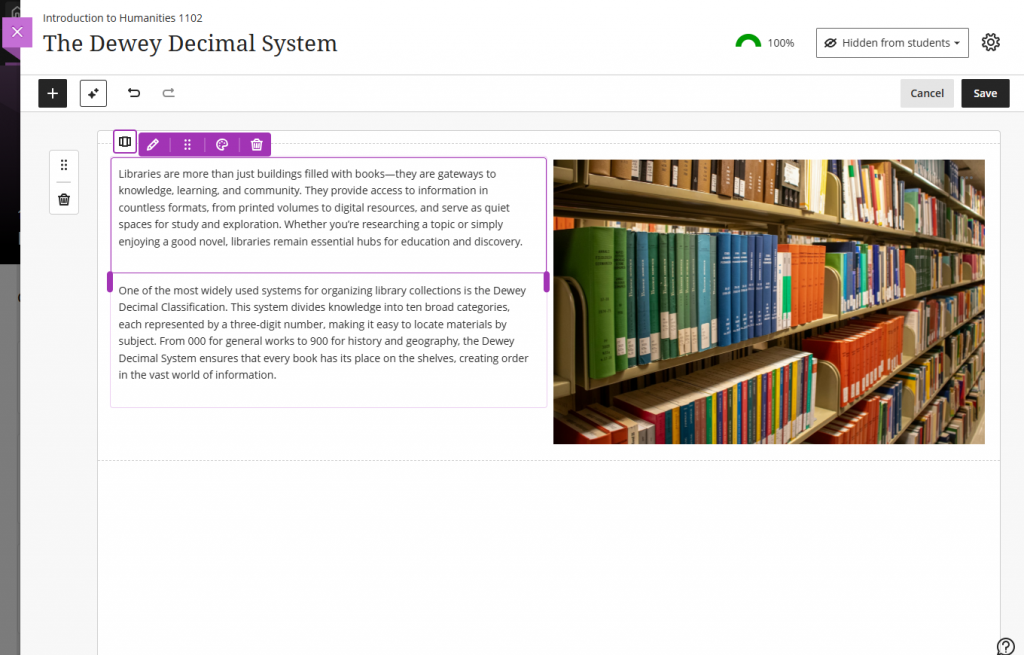
You can now stack blocks in a single column in Documents to create cleaner layouts and reduce whitespace. A new toggle in the block toolbar allows switching between column-level and block-level editing. In column mode, actions apply to the entire column. In block mode, instructors can resize, move, or delete individual blocks.
Updates to Achievements
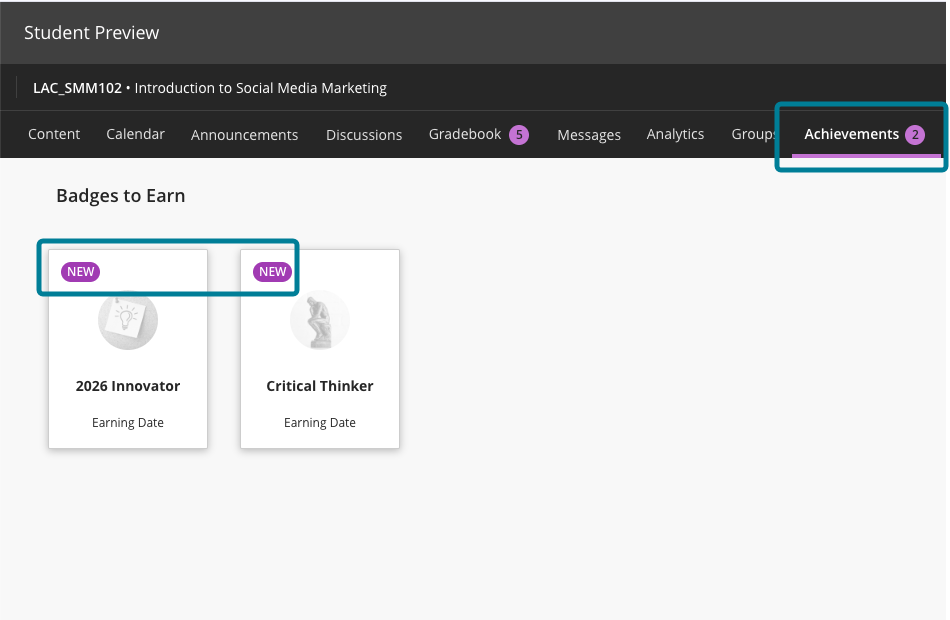
For students, the Achievements tab displays a count of unread badges. The New pill appears consistently in Earned and To Earn sections.
Accessibility updates include improved aria-labels and alt-text.