Staff guide: use Staff Enroller to enrol on to Blackboard courses as Module Administrator
What is Staff Enroller?
Staff Enroller is an in-house tool that lets Staff with certain permissions to enrol others or self enrol on any Blackboard module. Staff Enroller will not overwrite an existing Blackboard enrolment.
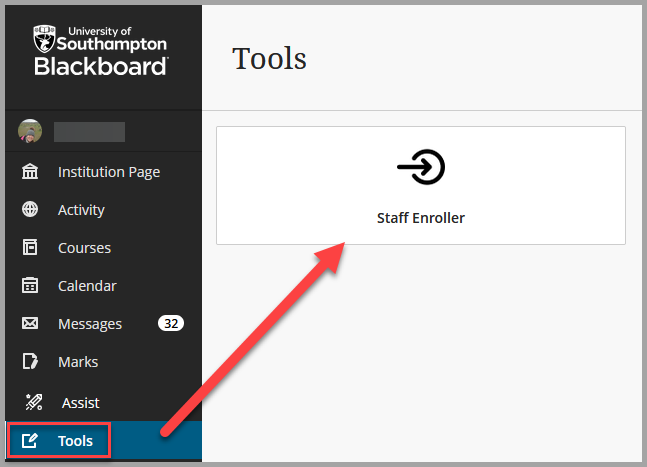
Find Staff Enroller in the Tools section on the main Blackboard navigation menu however only staff with permission can access the tool.
Self-Enrol on Blackboard Course
In Blackboard, select Tools then Staff Enroller to open the tool.
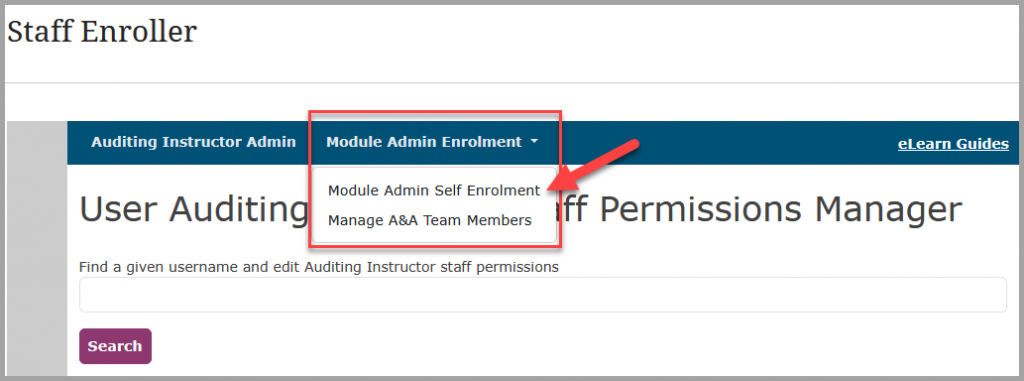
Select the tab Module Admin Enrolment then Module Admin Self Enrolment.
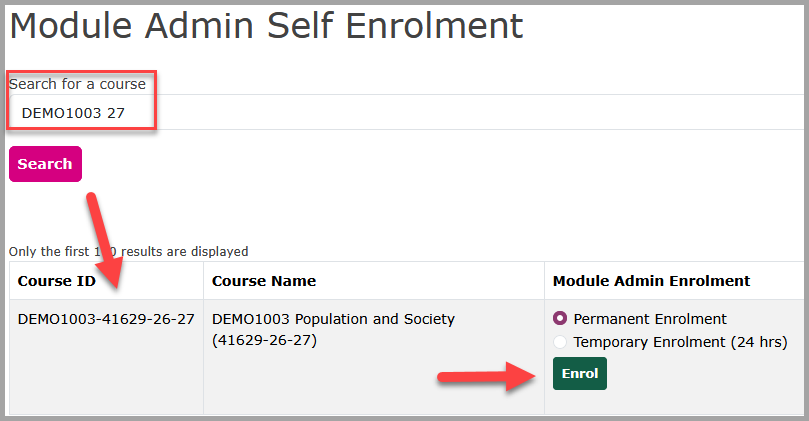
Search for a course with the Module ID, for example, ARCH1001, it will also help to include the academic in your search e.g. 26 will return courses from AY 25-26 and 26-27.
Select Search.
Check that the course searched is correct.
Enrolment defaults to Permanent Enrolment but you can change to 24hrs enrolment if preferred).
Select Enrol.
A success message will show your enrolment has worked. The course will now appear in your course list in Blackboard.

You will have the role of Module Administrator on the Blackboard Course.
Enrolments completed via Staff Enroller will appear as a list below the search.
If you have enrolled permanently, expires after will show as Never. If you select temporary, it will expire 24hours after
Un-enrol from Blackboard Course
In Staff Enroller, select the Module Administrator Self Enrolment tab.
A list of your course enrolments will be shown.
Select Remove next to the course from which you want to be removed.
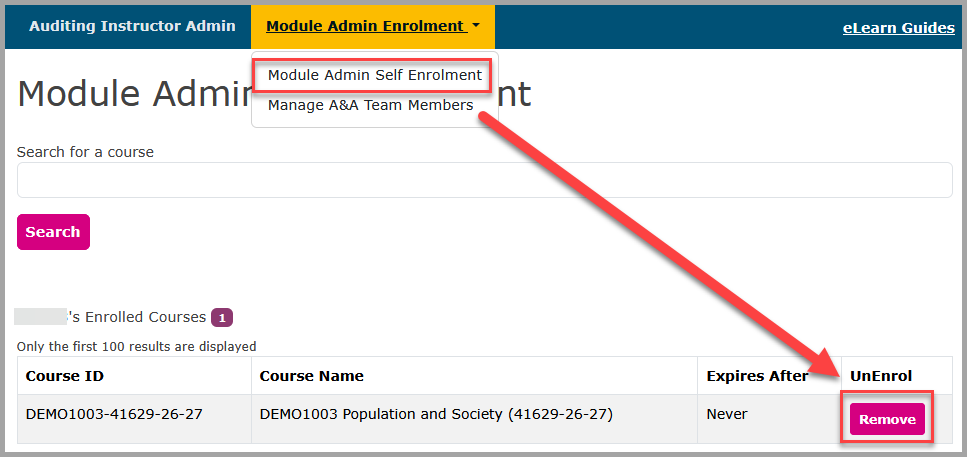
A success message will confirm that you have been removed from the course.

Add colleagues to Staff Enroller
To enable other module administrators to self-enrol onto courses.
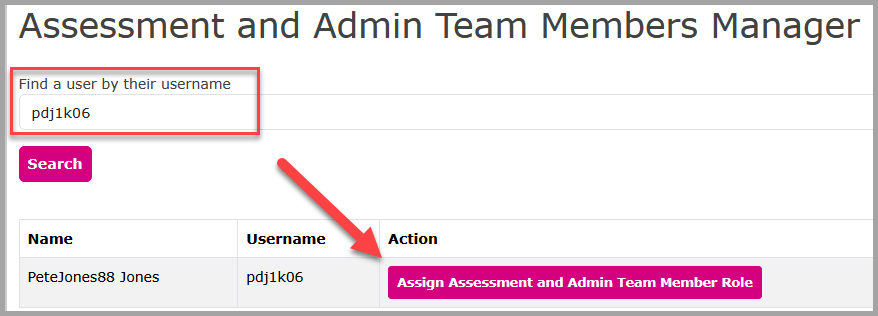
In Staff Enroller, select Module Admin Enrolment then Manage A&A Team Members.
Search for the user by their username (this can usually be found under their Teams Contact information under Chat).
Then select Assign Assessment and Admin Team Member Role.
Staff added via Staff Enroller will appear in this section.
Remove colleagues from Staff Enroller
In Staff Enroller, select Module Admin Enrolment then Manage A&A Team Members.
Search for the user by their username (this can usually be found under their Teams Contact information under Chat).
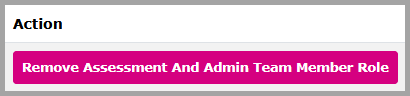
Then select Remove Assessment and Admin Team Member Role.