Staff news: This article will contain a summary of useful updates you may see in your Blackboard courses from Friday 5th June 2026.
Provide answer-level feedback for multiple choice and multiple answer questions
You can now add feedback for each answer option in multiple choice and multiple answer questions. This helps students understand why each choice is correct or incorrect after an attempt is submitted.
Lock answer options in a fixed position for multiple choice and multiple answer questions
You can now lock specific answer options in a fixed position so they remain in place when other options are randomized. This is useful for answer choices such as “None of the above” or “All of the above” that should always appear at the end of the list regardless of randomization settings.
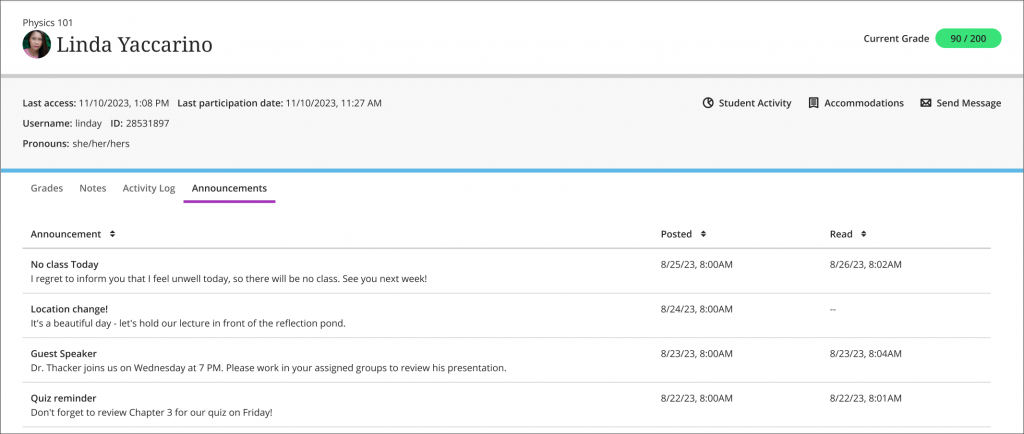
Track Announcement engagement by student
You can now check which announcements a student has read or not read on the new Announcements tab of the Student Overview page.